Bionic Eye
Create a glowing bionic eye that changes colour when different touch points are pressed.
In this project, you will program the Crumble to make your Sparkle flicker like a real flame.
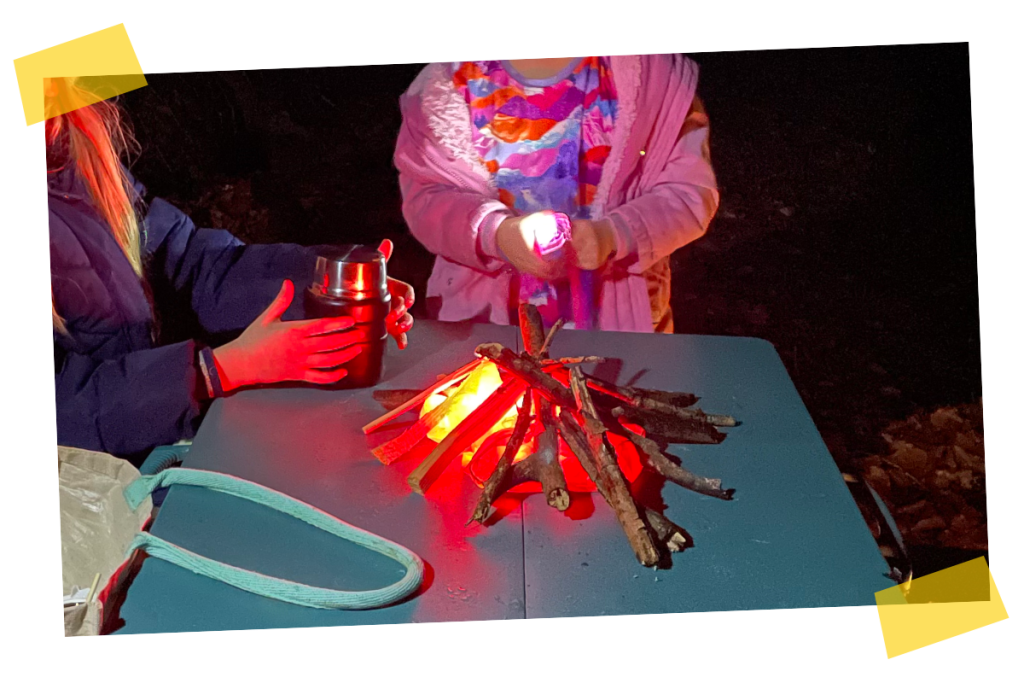
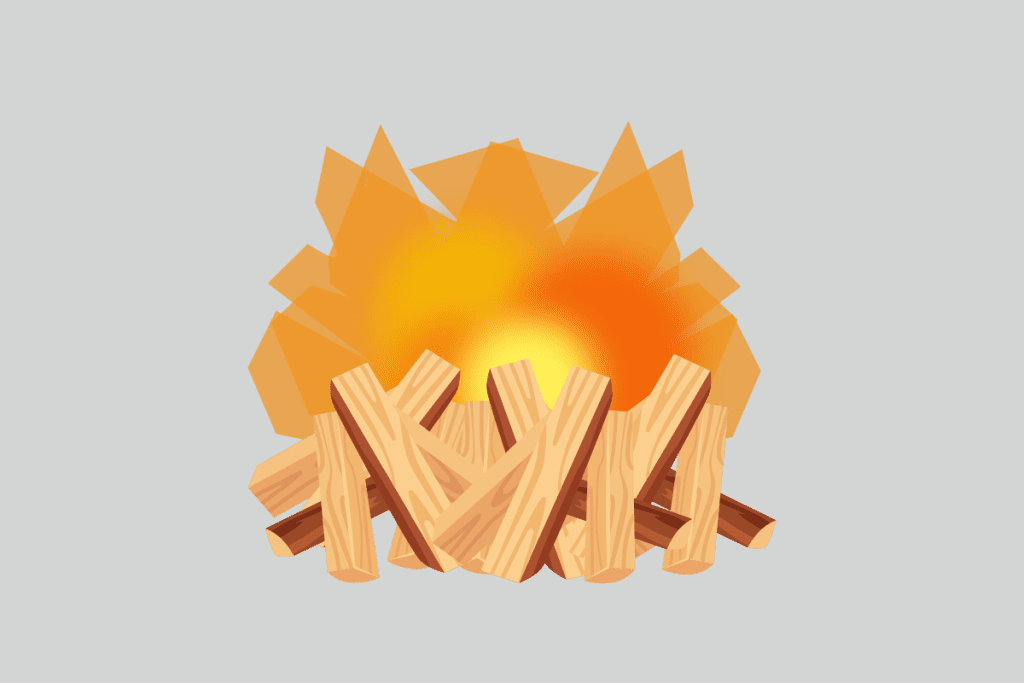
Then, you’ll wrap your programmed Sparkle circuit in tissue paper and build your own mini campfire using sticks or logs.
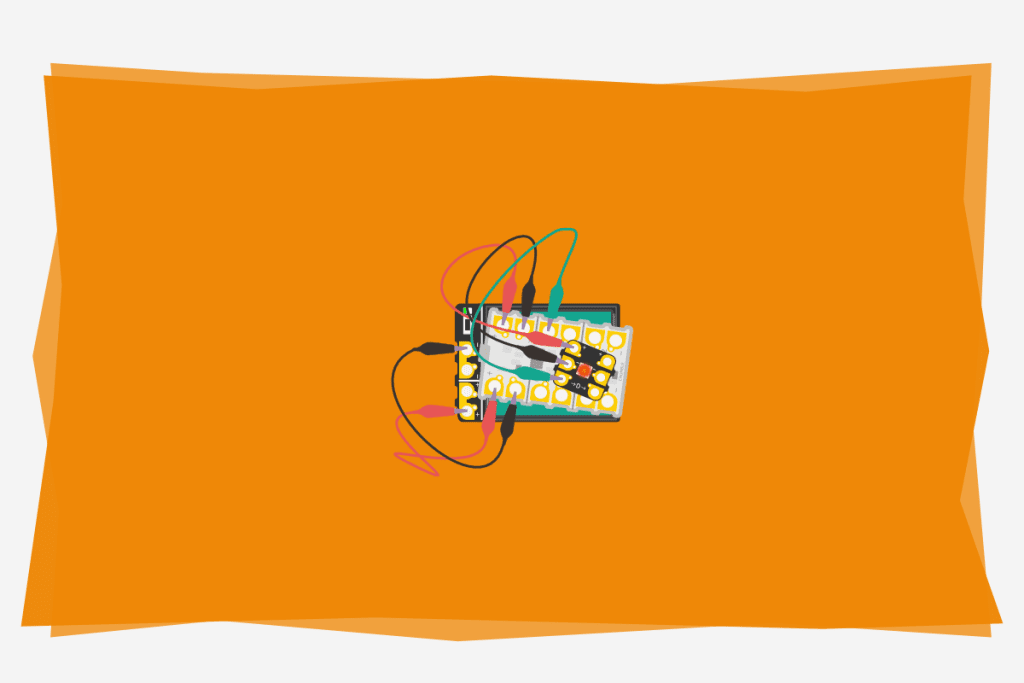
Connect a Sparkle to the Crumble using crocodile leads.
Insert 3x alkaline batteries into the battery box. Slide the switch to check they’re in the correct way.
Use a red and a black croc clip lead to connect the battery box to the Crumble.
Use a red, a black, and a green croc clip lead to connect the Crumble to the Sparkle.
Open the Crumble software and create a flickering light sequence that looks like a real flame.
Connect the Crumble to a computer and open the Crumble app or head to code.crumble.tech.
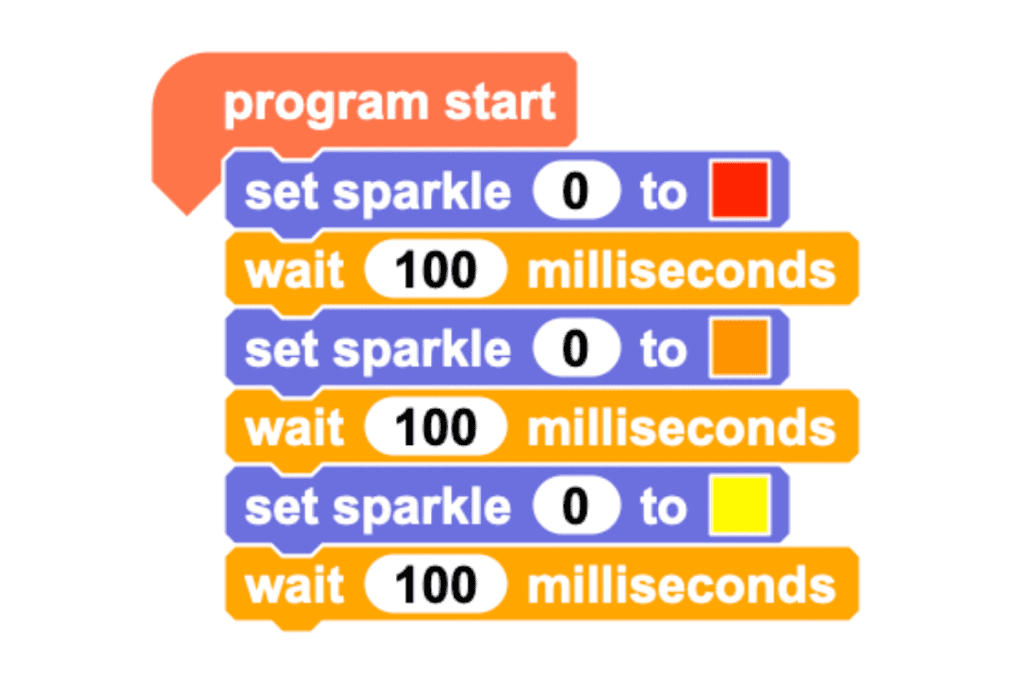
Snap a sequence of Set Sparkle and Wait blocks to a Program start block to quickly sequence through ‘flame’-like colours.
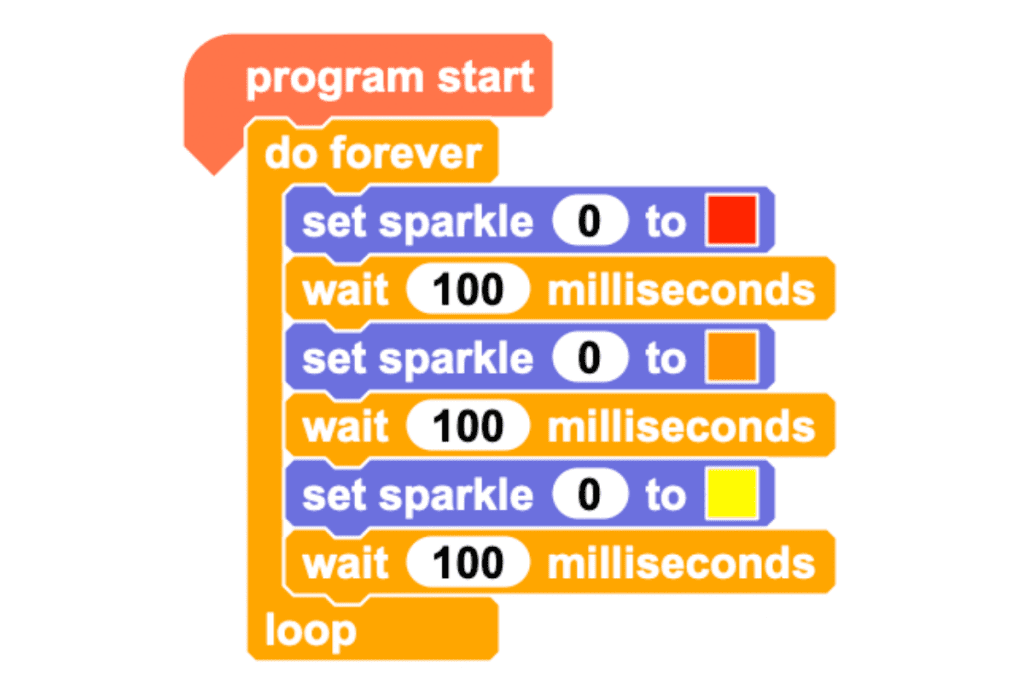
Place your ‘flame’ light sequence inside a Do Forever Loop block.
Turn the battery pack on and press the Green Triangle to send your code to the Crumble.
Press the red square or turn off the battery box to stop the light sequence.
Grab your craft materials and let’s build the campfire.
Place your programmed Crumble circuit in the middle of a stack of tissue paper.
Turn the battery pack on.
Grab all sides of the tissue paper and scrunch the middle.
You may want to use some string or elastic to hold it together.
Fan out the tissue paper to look like ‘flames’.
Place kindling or wood all around the bottom of the ‘flames’.
Can you get even more creative with your campfire?
Can you write and act out a story that happens around your glowing campfire?
Can you adjust your code to make the light fade in and out more smoothly? Try to make your fire look calm and cosy instead of fast and flashy.

Create a glowing bionic eye that changes colour when different touch points are pressed.